Nintendo minigames

Mini nintendo-themed projects I coded by hand.

A love letter to Mario Galaxy

A Mario Galaxy themed story I wrote, inspired by the maternal bonds between Rosalina and her star children, the lumas.

Rosalina in a rocking chair in a lamplit library, a storybook on her lap, with glowing yellow and blue lumas floating around her
Rosalina read nightly stories to her children in the games!

A Story About Stars, 2023

1 / 4 · Unity storybook

A blue and yellow Game & Watch with the game’s title screen on its screen: A Story About Stars in colorful letters over a glowing blue planet seen from space Select the device to start (3 min play)audio recommended

Two little lumas, too young to join the night sky, wait on the moon for their friends to return. I wrote this story initially as a 2.5D comic (mixing 2D illustration and 3D scenes in Blender and Figma), and finally brought it to life as a storybook in Unity.

Type
Georgia Tech 3D modeling course
Duration
One month
Role
Writer, 3D artist and developer
Tools
Unity (C#), 3D modeling, Figma

Voiced by my baby brother.

It was really special to combine my coursework with happy childhood moments. We had a lot of fun together, and he even came to visit my course and see everyone’s projects!
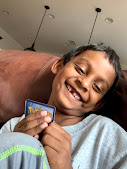
My baby brother grinning a gap-toothed smile, holding up a small card

A Story About Stars, the comic, 2023

2 / 4 · 2.5D comic

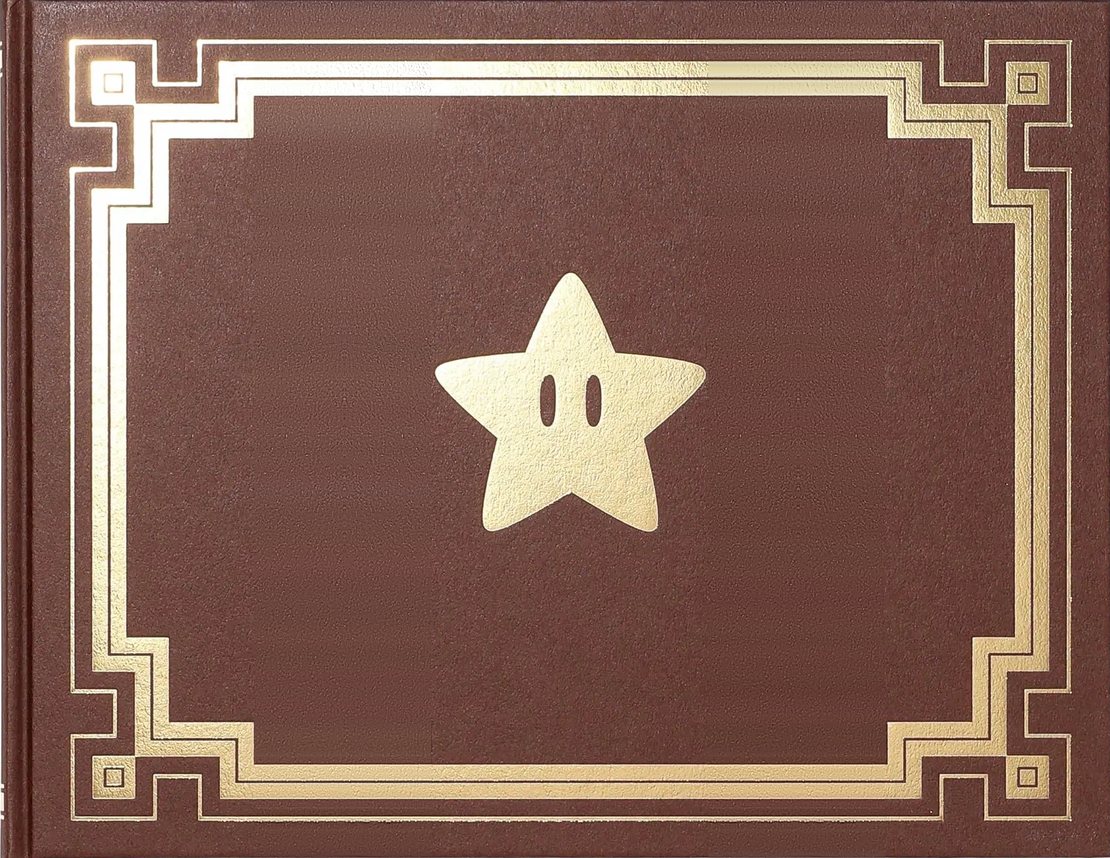
The front cover: brown leather with a gold border of stepped corners and a gold star with two eyes in the middle, like Rosalina’s storybook in the games
Comic page 1: a title panel reading A Story About Stars by Bhargsy over a moon and planet, then two little stars on the moon, startled by something with question marks around them
Page 1
Comic page 2: a green comet trails glitter toward the stars, shouts MOVE!!!, and loops around the moon toward the planet, as the stars ask, Do you think we could jump that far?
Page 2
Comic page 3: the stars close their eyes to focus, a giant yellow JUMP!!! splashes across the stars, and they leap with speed lines below them
Page 3
Comic page 4: the stars fall back to the moon, wonder whether they will ever join the night sky, and a final panel of the Earth reads, Maybe, in another millennia…
Page 4
The back cover: plain brown leather

Actually, this comic was the inspo for my Unity experience!

This project was part of a semester-long exercise in storytelling, rudimentary 3D modeling and camera positioning in digital scenes. After creating the scenes, I created ‘snapshots’ to go into my comic panels.

I chose fonts and small visual effects that would help achieve the feeling of an old comic, and drew doodles over the 3D renders to give the stars emotions and reactions. Looking back, the lighting could have been better, but for my first project in this space I’m really proud of the work!

Pokémon GBA emulations

Pokémon themed GBA emulations I made in undergrad.


Pokémon: Evolution Expedition, 2022

3 / 4 · GBA game

A pink Game Boy Advance showing the game’s title screen: Pokémon: Evolution Expedition! over a pixel-art Eevee beside an Eevee-shaped house Click to playflashing lights

Two sleepy Eevees are waiting at home. Guide Pichu out into the world, brave a volcano and a forest to find their evolution stones, and bring them back to watch your friends evolve. There’s no game over: if Pichu gets hurt, it’s sent home to try again.

Type
Georgia Tech CS 2261 final project
When
Spring 2022
Role
Designer, artist and developer
Tools
C on Game Boy Advance hardware, tile maps, digital sound

Tamagotchi, 2022

4 / 4 · GBA game

A teal Game Boy Color with pink buttons and lilac Select and Start, showing the game’s menu: Tamagotchi in pink letters, START and HELP, and a Mareep riding a skateboard Click to play
Enter or X to start, left and right arrows to move.

A tiny Pokémon Tamagotchi: help Mareep grow by catching good fruit as it falls (strawberries, cherries, apples and watermelons) and it evolves into Flaaffy, then Ampharos. Watch out for the rotten fruit, or your Mareep gets food poisoning!

When
Spring 2022
Role
Designer, pixel artist and developer
Tools
C, drawing pixel by pixel into the GBA’s screen memory

Under the hood

Written for the hardware, in C.

Learning how to code in C was challenging. I learned about game loops, both hardware and software interrupts, and cool tricks to create effects with very simple code (Game Boys have extremely limited memory).

It’s amazing how creative early game developers had to be, getting incredible effects out of really limited tech and memory capacity. We don’t have to do that anymore, and AI removes the need for creatives to code for efficiency now. Looking back, coding with a ton of hardware and software restraints was an incredible way to learn the act of developing as a creative medium.

This animation flashes

Its last part shows the heat shimmer at full speed: large areas of red changing many times a second.
The volcano scene from my Evolution game. The heat shimmer, doesn’t it look cool? It was actually a very simple effect called palette cycling, an old SNES/Game Boy era console trick! On those systems, a pixel doesn’t store a color. It stores a number, like “color #5”, and the console looks that number up in a shared palette table when it draws the screen. So if you change what #5 means in the table, every pixel marked #5 changes color on the next frame, and you never touch the pixels themselves, allowing for the effect of a full redraw with high speed.
This is Evolution Expedition’s entire spritesheet (every frame of Pichu, the Eevees, their evolutions and Togekiss), it’s just 32.5 KB. Consoles like the NES and Game Boy didn’t draw images the way that modern devices do. They pulled fixed-size tiles (8px × 8px on NES) out of a block of physical pattern memory and arranged them on screen. A “sprite” was a pointer to tiles in that block, so packing every frame into one sheet was simply how the graphics chip read art. Animating meant changing the pointer, which cost almost nothing.
I created this Mareep design by typing out a grid of pixel colors completely by hand! First, I drew the image, then made a grid of color mappings. Then, I found and replaced the numbers with the hex codes to insert into my code, and redid the process for Mareep’s two evolutions.

Get in touch

Want to learn more about the project? Any thoughts?

bhargs@bhargs.com
Next project When’s good kite weather? Explore